Wavy Text Generator

Emoji Symbols (copy and paste)

How to Use The Wavy Text Generator?

To use the online wavy text generator you have to do the following:

How Does The Wavy Text Generator Work?

This generator works using HTML, CSS and SVG code. Input your own text and the generator will transform it into an animated wavy font. You can go wild and combine this with the scrolling text in HTML technique. If you simply need a scrolling text though, I advise you to take a look at the scrolling text generator for a ready made text animation.

CSS is a lot of fun when you know what you are doing. By far, my most advanced CSS text effect tutorial is the CSS stroke text guide which walks you through multiple techniques to creating a cool border text effect.

Please note that the generator will output HTML code that you can paste into your web pages on Tumblr, WordPress, etc. and it will simply work. The wavy text is created in a H1 HTML tag, but you can easily modify the tag to whatever tag you need. Just remember to keep the CSS class name.

Can I Use Any Font with the Wavy Text Generator?

Yes! The wavy text generator does not use any particular font. You can set any web font available on your site and the effect will be applied.

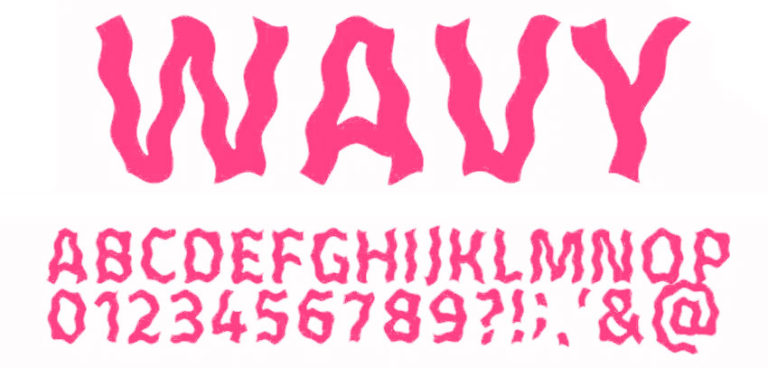
For a really cool effect I propose to use a font that is already wavy. Here’s a free wavy font that you can download from PhotoshopSupply. You can also try using glitch text created with any glitch text generator.

You can take the design one step folder by playing with gradient colors for the text. Read my gradient text CSS tutorial and see how easy it is to create some amazing effects. 

Other Cool Online Wavy Text Generators?

If you want to create editable wavy text online, check out MockoFun. It’s an online tool that among many other things allows easily creating curved text, wave text, spiral text and other shapes. Here’s how to create a wavy text with MockoFun:

You can download the result as a PNG with transparent background if you need a wave text with transparency, a JPG image or even a 300dpi PDF if you need to print the wavy font design.

Examples Made with the Wavy Text Generator

The wavy text generator works with characters from any language (Chinese, Japanese, Korean, Arabic, Hindi, Khmer, etc).

You can input emojis and text symbols in the wave text generator and get results like this:

I💓WAVY TEXT

爱LOVE사랑حبप्रेमស្រឡាញ់

🔊♪♬♫♭ Music🎶🎵

Other Cool Design Ideas

If you enjoy experimenting with distorted typography and wavy patterns, you should also try incorporating concentric curves. Using a spiral maker can provide you with unique shapes to complement your wavy text designs.

If you want to make your text stand out in a design, the wavy text look is only one way you can do it. Another effective way is to highlight the text. Check out my tutorial on CSS highlight text effects, a step-by-step guide with CSS code included.

Scroll to top