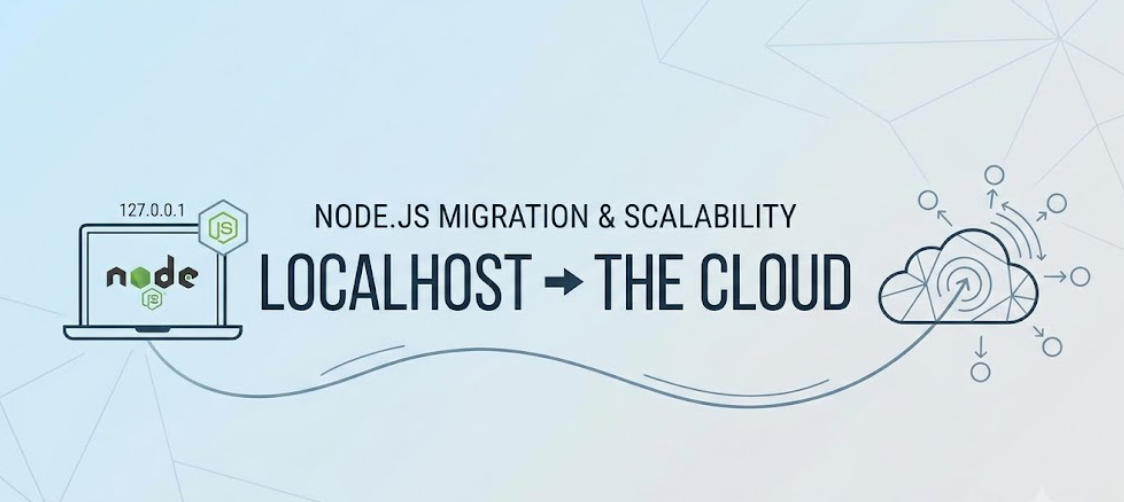
You run npm run dev, open localhost:3000, and everything works. Queries return in single-digit milliseconds, uploaded avatars save straight to /tmp, and in-memory session auth never drops.
Then you ship it to production.
Local environments hide the failure modes of distributed systems. There’s no network latency between your app and the database, no ephemeral disk wiping uploads on pod restarts, and no second server instance to break stateful sessions. Making a Node.js app survive real traffic means designing around those constraints before you deploy, not after.
1. Externalize Configuration and Secrets
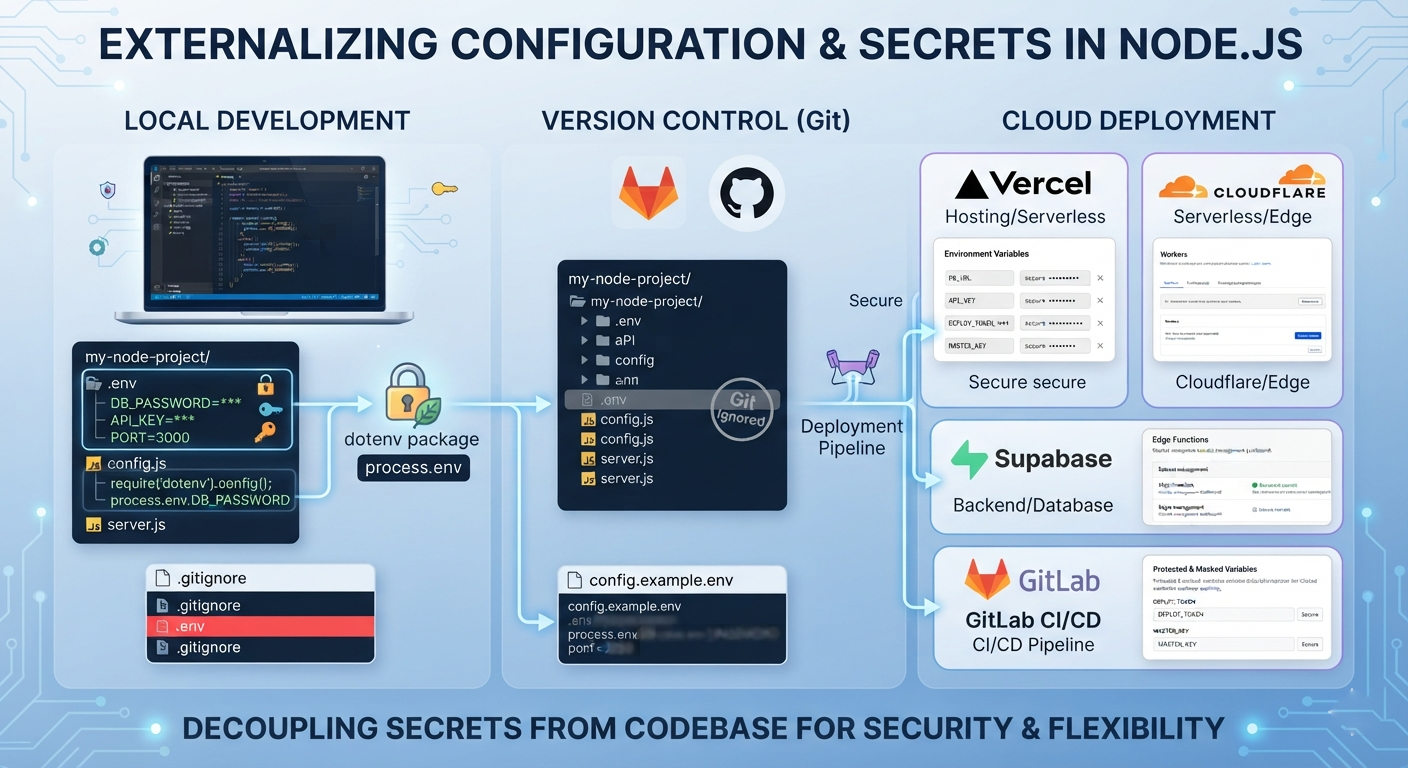
Hardcoding database credentials, API tokens, or port numbers in your source code guarantees two problems: you’ll eventually commit secrets to git, and you won’t be able to run different values between staging and production without changing code.
Read configuration from process.env instead. For local development, keep values in a .env file. You can load it using the dotenv package or Node’s native –env-file=.env flag (available in Node 20.6+). Always verify .env is listed in your .gitignore.
When deploying, pass these variables through your platform’s environment settings (such as Railway, Render, or AWS ECS task definitions) or pull them from a secrets store like AWS Secrets Manager or Vault. The application code should not care where it runs; it should only expect the required keys to be set at boot.
Where you store secrets depends on where the code runs. Serverless hosts like Vercel and Cloudflare Workers inject encrypted environment variables into the runtime at deploy time. In managed backends like Supabase, you scope credentials directly to specific Edge Functions. For CI/CD (such as GitHub Actions or GitLab), use masked repository secrets so deployment tokens never leak into build logs.
2. Keep Your Application Stateless
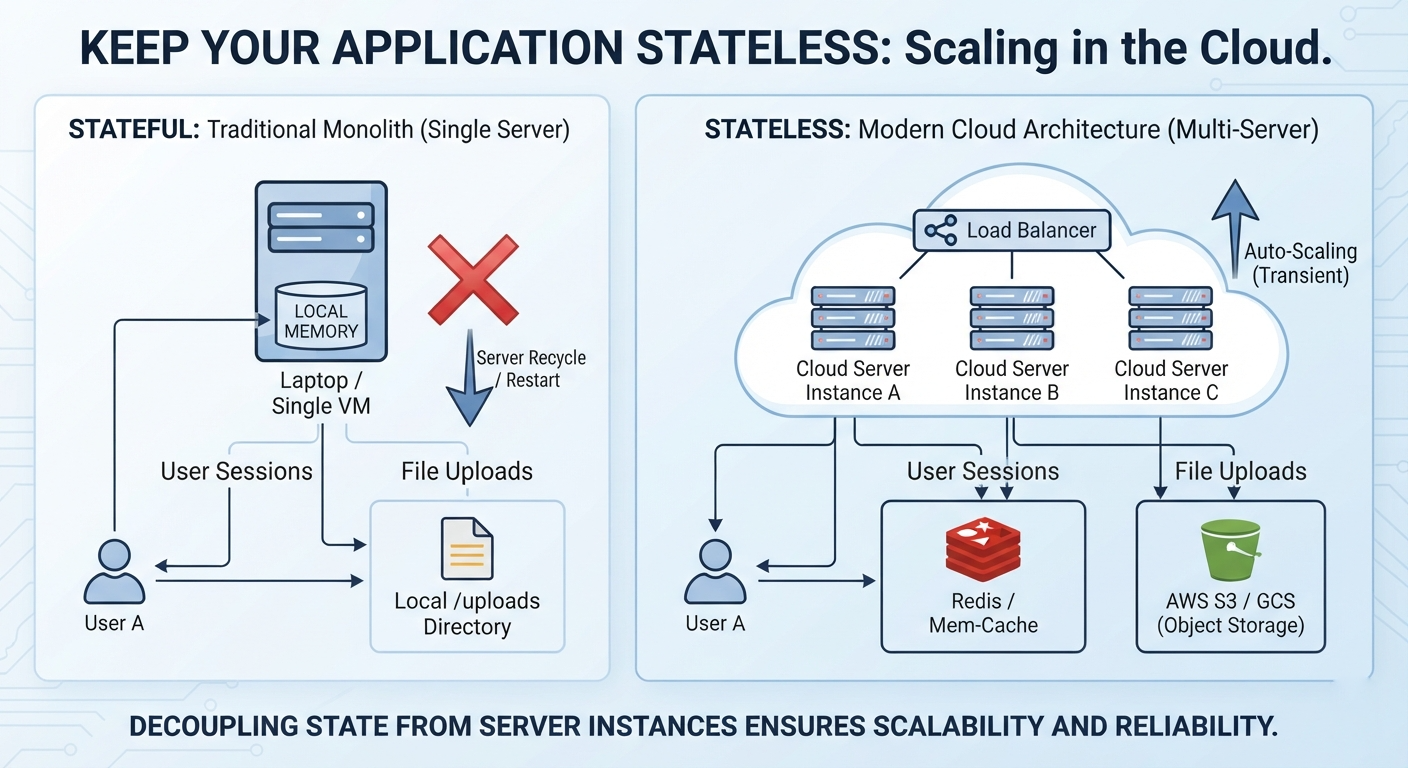
On your laptop, your server instance is a permanent fixture. In the cloud, server instances are transient; they automatically scale up, spin down, restart, or relocate based on user demand and hardware health. If your application relies on local server memory to retain state, it will fail under production conditions.
In-memory sessions break the moment you run more than one process. If a user authenticates on instance A and the load balancer sends their next request to instance B, they get booted straight back to the login screen. Move session state out of application memory and into a shared store like Redis so every instance reads from the same source.
Local file uploads fail for the same reason. Writing files to /uploads works on your laptop, but containers are ephemeral: when a pod restarts, deploys, or scales down, everything on its local filesystem is wiped. Stream uploads directly to an object store like AWS S3 or Cloudflare R2 instead of letting files touch the local disk.
3. Tune Database Connections for Distributed Networks
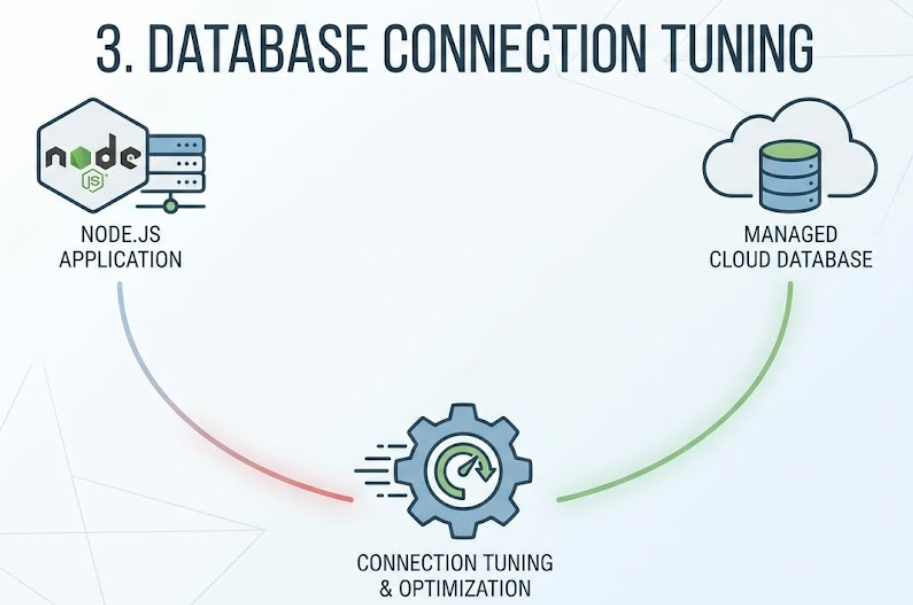
When your database lives on a separate managed cloud network rather than localhost, network latency becomes a factor you must actively manage. Because Node.js operates on a single-threaded event loop, unoptimized data layers can quickly degrade your application’s responsiveness.
Instead of opening and closing a new database connection for every incoming HTTP request, configure connection pooling using ORMs like Prisma, Sequelize, or Mongoose (these work similar to Hibernate in case you’re more familiar with Java apps). Connection pools maintain a warm cache of open database connections that can be reused instantly, preventing your database from dropping requests during traffic spikes. You should also implement automatic retry logic so brief, temporary network hiccups do not crash your entire backend process.
These are all important things to keep in mind for the database layer of your stack as well as applying various performance techniques (like for example materialized views) to get the best performance out of your database.
4. Upgrade Your Logging Infrastructure
Relying on console.log() is perfectly fine for tracking down bugs on your local machine, but it is completely useless in a live distributed environment. Local console outputs are ephemeral and disappear the moment a cloud container resets.
Switch to a structured logging framework like Winston or Bunyan. These libraries format your logs into standard JSON objects, making them highly machine-readable and easy to parse. From there, you can pipe your logs to centralized monitoring services like Datadog, Loggly, or cloud-native aggregators. This approach gives you deep visibility into system health, allowing you to troubleshoot errors without manually hunting through raw text files across multiple virtual servers.
5. Standardize Your Deployment Pipeline
To minimize the structural gap between your development machine and your production environment, consider containerizing your application with Docker. A Dockerfile packages your exact Node.js runtime version, system dependencies, and application code into an unchangeable image, ensuring your app runs identically no matter where it is hosted.
When selecting a cloud architecture, match the tooling to the actual scale of your project. For smaller personal projects, pushing to platforms like Vercel or Heroku is easy. However, if you are moving an enterprise-level legacy application, it is often best to rely on professional cloud migration services to ensure secure data transfer and zero downtime.
Conclusion
Decoupling your Node.js application from local resources takes upfront planning, but it makes scaling manageable. By externalizing configurations, moving to a stateless model, pooling database connections, and standardizing logs, you build a foundation that can scale smoothly. Run through these five steps to ensure your codebase is production-ready.
Credits: All images made with MockoFun
Frequently Asked Questions
Q: Why can’t I deploy my localhost Node.js setup directly to the cloud?
Localhost is a single, predictable machine with zero latency and permanent memory. The cloud is a distributed network of transient servers that spin up, shut down, and restart automatically. Code written for localhost assumes permanent local resources; cloud code must expect network latency and server restarts.
Q: How should I manage API keys and database credentials in production?
Never commit credentials to git. Use a .env file for local development (and add .env to .gitignore). In production, inject secrets through your platform’s dashboard, CI/CD environment variables, or a dedicated manager like AWS Secrets Manager or HashiCorp Vault.
Q: What does it mean to make a Node.js app “stateless”?
It means no single server instance holds unique state required to handle the next request. If an instance restarts or an autoscaler kills it, no user data is lost. Put session state in Redis and user file uploads into S3 or equivalent object storage.
Q: How do I handle database network latency in the cloud?
Colocate your database in the same cloud region and VPC as your application servers. To eliminate the overhead of opening a new TCP handshake on every request, use connection pooling (built into drivers like pg and ORMs like Prisma) to reuse open sockets across queries.
Q: Why should I stop using console.log() in production?
console.log() prints plain text to stdout with no log levels, no timestamps, and no metadata. When you are processing thousands of requests across multiple instances, searching through flat strings is nearly impossible. Use a fast structured logger like Pino. It outputs single-line JSON with timestamps and log levels, making your logs filterable in tools like Datadog, Grafana Loki, or CloudWatch.
Q: Do I need Docker to run Node.js in the cloud?
Not if you deploy to a managed platform like Vercel, Railway, or AWS Lambda, which package your runtime automatically. But if you run on virtual machines, ECS, or Kubernetes, Docker is the safest choice. It bundles your specific Node.js version, system dependencies, and build artifacts so your staging and production environments run the exact same binary image.